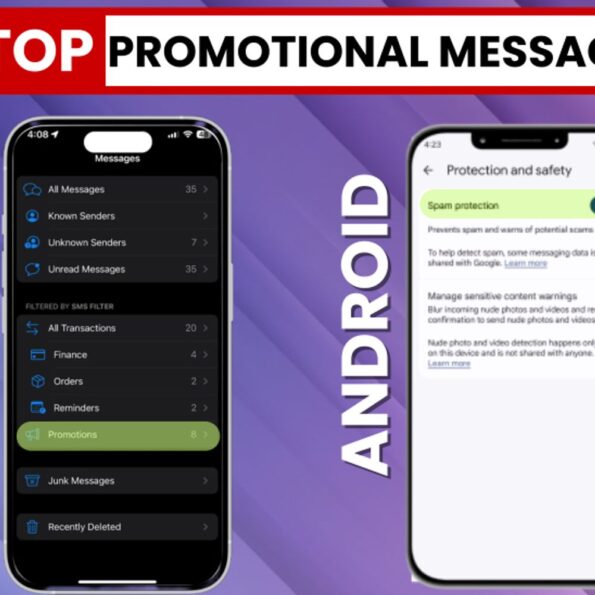
Your phone buzzes. You check it, hoping it’s something important, maybe a delivery update, a bank alert, or a message from a friend. Instead, it’s another discount offer, a loan approval message, or a random sale notification you never signed up for. Promotional messages have become a daily annoyance. They clutter your inbox, bury important texts, and in some cases, even pose security risks through phishing links. The good news is that both Android and iPhone offer built-in tools to filter, delete, and block these unwanted messages.
Here’s a detailed, step-by-step guide to help you clean up your inbox and stop promotional spam for good. How to delete or block promotional messages on iPhone Apple’s iMessage app automatically sorts certain business and promotional texts into categories. You can use these filters to quickly find and remove unwanted messages. Method 1: Use the promotional section (Message filters)
If your iPhone is running a recent version of iOS, promotional messages are often grouped separately. Steps: Why this helps: Instead of scrolling endlessly through your inbox, all promotional texts are grouped in one place, making cleanup quick and easy. Method 2: Report junk or spam If a message looks suspicious or clearly spammy, you can report it. If you haven’t opened the message: If the message is already open: This sends the information to Apple and helps improve spam filtering in the future. Also read: What is the ‘ChiChi Call’ viral MMS video scam? New method of cyber fraud targeting social media users
How to delete or block promotional messages on Android Most Android phones use the Google Messages app, which includes built-in spam protection tools. Method 1: Enable spam protection (Google Messages) Steps: Once enabled, Google automatically detects and moves suspicious messages to the spam folder. Also read: India emerges as largest AI app download market in 2025, installs jump 207% ahead of the US
Extra tips to reduce promotional messages Promotional messages may seem harmless at first, but over time, they become overwhelming and sometimes risky. Thankfully, both Android and iPhone offer simple built-in tools to filter, delete, and block spam.