
[[{“value”:”
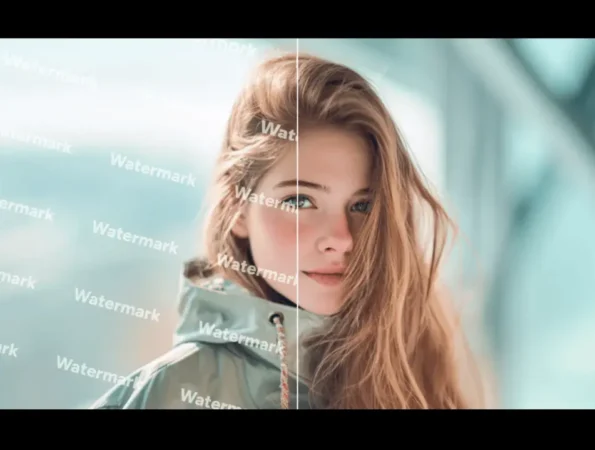
Creating a compelling design mockup is a delicate process. You`ve spent hours aligning elements, choosing fonts, and crafting the perfect layout. But when you present it to a client, their eyes are drawn to one thing: the distracting, ugly watermark plastered across your background image. This common problem forces a difficult choice. Do you use a watermarked stock photo that undermines your design, or do you find a better way to create clean previews?
This guide compares the traditional stock photo workflow with using a tool like Unwatermark.ai. We`ll explore how each approach impacts your ability to create crisp, clean mockups for client presentations. Understanding the strengths and weaknesses of both can save you time, improve client feedback, and lead to better final designs.
The Traditional Route: Watermarked Stock Photos
Stock photography websites are vast digital libraries offering millions of high-quality images for commercial use. When you find an image you like, you can download a low-resolution, watermarked version for free. This allows you to place it in your design to see how it fits. The watermark serves as a copyright protection measure, ensuring the photographer or agency gets paid if you decide to use the image in a final, published project.
The process is straightforward but has significant drawbacks for the mockup stage. The watermarks, which can be tiled logos or diagonal lines, often obscure key details of the photo and clash with your design elements. This forces clients to “look past” the watermark, making it harder for them to visualize the final product and provide clear, constructive feedback.
Key Features of Stock Photos
The stock photo industry is built on a well-established model. Key features include massive, searchable databases where you can filter by orientation, color, subject, and more. They offer different licensing models, such as royalty-free, where you pay once to use the image multiple times, and rights-managed, which grants exclusive use for a specific period or purpose. This legal framework is essential for commercial projects, protecting you from copyright infringement claims down the line.
Pros & Cons
|
Pros |
Cons |
|
Legal protection for final projects |
Watermarks disrupt mockup visuals |
|
Access to millions of high-quality images |
Can be very expensive to license |
|
Advanced search and filtering tools |
Time-consuming to find the perfect image |
|
Clear licensing and usage rights |
Low-resolution previews can be blurry |
Best For
Using watermarked stock photos is best for the final stages of a project when a budget has been approved for image licensing. It`s the only way to legally secure high-resolution, clean images for public-facing websites, ad campaigns, and printed materials. It is the industry standard for final asset acquisition
The Modern Solution: Unwatermark.ai
Unwatermark.ai offers a different approach specifically for the design and approval process. It is a specialized tool that uses artificial intelligence to remove watermarks from images. This allows designers and agencies to create clean, professional-looking mockups using preview images from stock photo sites. The goal isn`t to circumvent licensing for final use, but to present a design concept as it`s meant to be seen, free from distracting watermarks.
This tool functions as an intelligent Watermark Remover, using advanced algorithms to analyze the pixels behind a watermark and reconstruct the area. The result is a clean image that can be used to get clear, unambiguous feedback from clients or stakeholders. By presenting a polished mockup, you make the approval process smoother and faster.
Beyond just removal, the platform also works as a powerful AI Photo Editor. It can enhance image quality, upscale low-resolution previews, and make other adjustments to ensure your mockup looks as crisp as possible. This dual functionality makes it an essential tool for creating high-fidelity design presentations before committing to expensive stock photo licenses.
Key Features of Unwatermark.ai
Unwatermark.ai is designed for speed and simplicity. Its core feature is the AI-powered removal engine that can handle various types of watermarks, from opaque logos to semi-transparent repeating patterns. It often includes batch processing, allowing you to upload and clean multiple images at once. The user interface is typically simple, requiring just an upload and a click to process an image, making it accessible to users of all skill levels.
Pros & Cons
|
Pros |
Cons |
|
Creates clean, professional mockups |
Primarily for “fair use” mockup scenarios |
|
Helps clients visualize the final design |
Removal quality can vary with watermark complexity |
|
Saves money during the draft phase |
Does not grant a legal license for final use |
|
Fast, efficient, and easy to use |
Requires an extra step in the workflow |
Best For
Unwatermark.ai is ideal for graphic designers, web designers, and marketing agencies during the conceptual and revision stages of a project. It shines when you need to present multiple design options to a client without the immediate cost or visual distraction of stock photos. It’s a “try before you buy” tool that improves the quality of your presentations and helps secure client approval more effectively.
Side-by-Side Comparison Summary
To make the choice clearer, here’s a direct comparison of using traditional watermarked stock photos versus Unwatermark.ai for creating mockups.
|
Feature |
Watermarked Stock Photos |
Unwatermark.ai |
|
Primary Use |
Final, licensed asset acquisition |
Creating clean mockups for approval |
|
Mockup Quality |
Poor (distracting watermarks) |
Excellent (clean and professional) |
|
Cost Model |
Free for previews, expensive for licenses |
Subscription or credit-based for processing |
|
Workflow Impact |
Forces clients to ignore watermarks |
Streamlines feedback and approval |
|
Speed |
Fast to download previews |
Fast to process and clean images |
|
Legality |
The legal standard for final use |
For presentation and “fair use” only |
Final Recommendation
So, which approach is right for you? The answer is not to choose one over the other, but to use each for its intended purpose.
Use watermarked stock photos when you are browsing for options and when you are ready to purchase the final, high-resolution asset for a published project. The license is non-negotiable for commercial use and protects you and your client from legal issues. It is the final step in your design workflow.
Use Unwatermark.ai during the critical in-between phase: creating and presenting mockups. Its ability to produce a clean, crisp preview is invaluable for getting clear client feedback. By showing a polished concept, you remove distractions and help stakeholders visualize the true potential of your design. This leads to faster approvals, fewer revisions, and a more professional presentation.
ltimately, integrating Unwatermark.ai into your workflow doesn`t replace the need to license stock photos. Instead, it enhances the process, ensuring you only spend money licensing the perfect image after your client has already approved a beautiful, watermark-free mockup.
“}]]