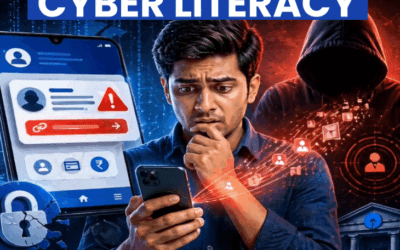

In Bilaspur, Chhattisgarh, just a few days ago, fraudsters kept a retired female professor under digital arrest in her home for 7 days. They showed her the fear of terror funding and swindled 1.4 crore rupees. This is not an isolated case; more than 60% of victims of digital fraud in the country are elderly and retired employees. Meanwhile, fraudsters are no longer limited to tricks like OTP or electricity bills; they intimidate people through methods like terror funding, drugs in parcels, money laundering, and calls in the name of TRAI and CBI officers. In such a situation, how can the elderly protect themselves? Technology like the recently launched AI chatbot ‘Abhay’ can help in this. Let’s learn about new technology and protection from new methods of fraud. ‘Abhay’ will make you fearless – Use it this way Will identify genuine notices Abhay is an AI-powered notice verification chatbot. It will immediately check suspicious notices and messages-calls that come in the name of CBI by matching them with the database. Will provide security through QR code CBI will now have a QR code on every notice. If scammers send a notice with a QR code, the truth will be revealed immediately upon scanning it with the chatbot. Will help in making the right decision Scammers intimidate elderly people in various ways during digital arrests. In such situations, Abhay will also help users stay calm and make the right decision.
These precautions on your mobile will protect you from frauds like digital arrest 1. Activate DND service Keep TRAI’s DND service active on your smartphone. For its settings, go to the message box. Type ‘FULLY BLOCK’ in capital letters and send it to 1909. After this, commercial-spam calls will stop coming. Both Android and iPhone have a Do Not Disturb button. 2. Protect against spam calls and messages Keep the spam call-message filter on in your phone. In Android, this option will be found in message settings under spam protection. In iPhone, turn on Filter Unknown Senders. Do not receive calls that have spam written on them. 3. Keep auto download off on WhatsApp Go to WhatsApp settings and keep media auto download turned off. So that no suspicious photo or video can be downloaded automatically. Also keep Silent Unknown Calls on. 4. Secure your bank and UPI Make sure to enable fingerprint or face lock on banking apps and payment apps like Google Pay or PhonePe on your mobile phone, so that additional security is maintained. Also get these settings done with help from your grandchildren. 5. Call the helpline immediately in case of trouble If you realize that you are about to become a victim of cyber fraud, immediately register a complaint on the National Cyber Crime Reporting Portal. Call the helpline 1930/112 immediately and inform them. Use authorized websites Type https://abhay.cbi.gov.in/ on your mobile-computer. Enter your name and mobile number on the Abhay chatbot. Upload the suspicious notice on it.