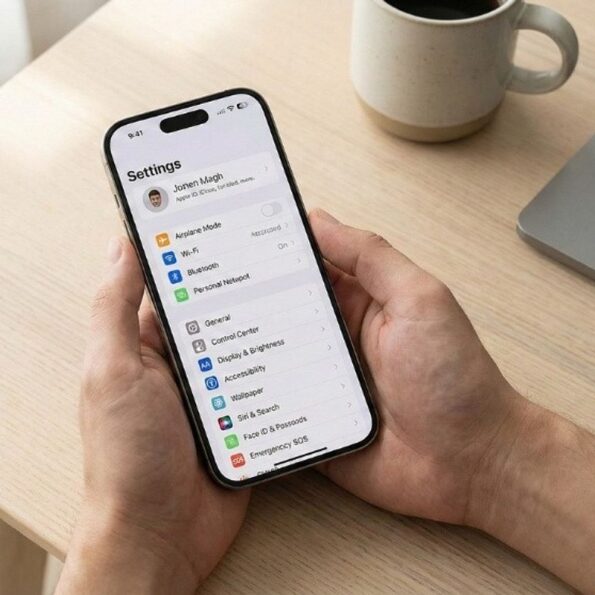
Unboxing a new iPhone feels great. The fresh design, smooth display, and fast performance make you want to start downloading apps right away. But before you dive in, take a few minutes to switch on some important settings. Apple recently launched the iPhone 17e, and whether you bought that model or any other iPhone, these five features can make your device more secure, private, and long-lasting. Here’s what you should activate immediately, and why it matters. 1. Activate Find My iPhone
Losing a phone can be stressful, especially a brand-new one. That’s where Find My comes in. This feature allows you to track your iPhone on a map, play a sound to locate it, lock it remotely, or even erase your data if needed. It also works with your other Apple devices, so everything stays connected. How to enable it:
Go to Settings → Tap on your name → Find My → Find My iPhone → Turn it on. If your phone ever goes missing, you’ll be glad this is active. 2. Turn on Face ID with Attention Awareness Face ID already lets you unlock your phone using your face. But there’s an extra layer of security called Attention Awareness. When this feature is enabled, your iPhone checks that your eyes are actually open and looking at the screen before unlocking. This prevents someone from unlocking your phone while you’re asleep or not paying attention. How to turn it on:
Go to Settings → Face ID Passcode → Turn on Require Attention for Face ID. It’s a small step that adds big protection. Also read: Blood Moon to be visible in India today: Why does the moon turn red?
3. Enable Optimised Battery Charging Battery health is something many people ignore until it starts dropping. Optimised Battery Charging helps your iPhone battery last longer over time. Instead of charging to 100% immediately, your phone learns your daily routine and pauses charging at 80%. It completes the charge just before you usually unplug it. This reduces battery ageing and improves long-term performance. How to switch it on:
Go to Settings → Battery → Battery Health Charging → Turn on Optimised Battery Charging. If you plan to use your iPhone for years, this setting is important. 4. Enable Two-Factor Authentication (2FA) Your Apple ID is the key to your entire device. If someone gets access to it, they can access your data. Two-Factor Authentication adds a second layer of security. Even if someone knows your password, they cannot log in without a special verification code sent to your trusted device. How to enable it:
Go to Settings → Tap on your name → Sign-In Security → Two-Factor Authentication → Turn it on. This is one of the strongest security features you can activate. Also read: Apple launches iPhone 17e in India at starting price ₹64,900; here’s what makes it stand out
5. Turn on iCloud Backup Your photos, messages, and contacts are valuable. Imagine losing them because of accidental damage or theft. With iCloud Backup, your iPhone automatically saves your data when connected to Wi-Fi. That means even if something happens to your device, your information stays safe in the cloud. How to activate it:
Go to Settings → Tap on your name → iCloud → iCloud Backup → Turn it on. It runs quietly in the background but protects everything that matters. Set up your iPhone
A new iPhone is exciting, but security and battery health should come first. These settings take just a few minutes to enable, yet they protect your device for the long run. Before you start exploring apps and clicking photos, make sure your iPhone is set up the right way. A few smart changes today can save you from bigger problems tomorrow.